
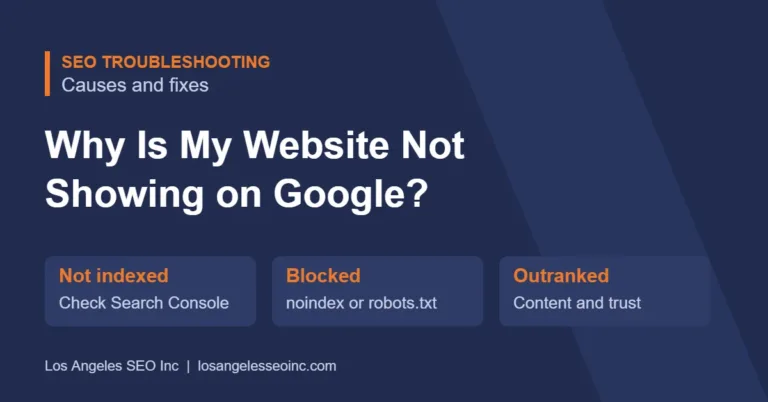
If your website is not showing on Google, it is usually one of three problems: Google has not indexed your pages, something on your site is blocking Google, or your pages are indexed but other sites outrank you. You can tell which one in a few minutes with a site: search and Google Search Console, and each has a clear fix.
We see this question all the time from business owners, and we have dealt with it on our own site too: rankings that show up one day and disappear the next, pages that look fine in one browser and missing in another. This guide walks through how to find the cause and what to do about it.
Key Takeaways
- Start with a site:yourdomain.com search to see whether Google has indexed your site at all.
- Google Search Console shows exactly which pages are indexed, which are excluded, and why.
- A single “noindex” setting or a robots.txt rule can hide an entire website.
- New websites can take days to weeks to appear, and longer to rank.
- If you are indexed but on page five, the problem is ranking, which comes down to content, competition, and trust.
- Rankings move around based on location, device, and Google’s ongoing tests, so one search is not the full picture.
Step 1: Check whether Google has indexed your site
Go to Google and search site:yourdomain.com (with your real domain). If you see your pages, Google knows about your site, and the problem is ranking. If you see nothing, Google has not indexed it, and you should check the causes in Step 2.
For a more accurate answer, use Google Search Console. It is free. Enter any page in the URL Inspection tool and it tells you whether the page is on Google and, if not, why.
Step 2: Look for something blocking Google
These are the most common reasons a website is not indexed:
- A noindex tag. WordPress has a setting called “Discourage search engines from indexing this site” that is often left on after a site is built. SEO plugins can also set pages to noindex.
- Robots.txt blocking. A rule in your robots.txt file can stop Google from crawling your site or key folders.
- The site is brand new. Google may not have found it yet. Submitting a sitemap in Search Console helps.
- Password protection or a coming-soon page. If visitors need a login, so does Google.
- Wrong canonical tags. A canonical tag that points to a different page tells Google to index that page instead.
- Server errors. If your site is slow or returns errors when Google visits, pages can drop out.
- A manual action. Rare, but Search Console will show it under Security & Manual Actions if Google has penalized your site.
Google explains how its crawling and indexing works in its How Search Works guide.
Step 3: If you are indexed but cannot find yourself
Most of the time, the site is indexed but not ranking well enough to be seen. Common reasons:
- Stronger competitors. The sites above you may have more detailed pages, more reviews, and more trust built over years.
- Thin or generic pages. A short page that says the same thing as everyone else gives Google little reason to rank it.
- Pages competing with each other. If several of your pages target the same search, Google may rank none of them well. Combining them into one strong page often fixes it.
- Technical problems. Slow loading, broken links, and poor mobile layout all hurt. Our technical SEO checklist covers the main ones.
- Low-quality backlinks. Links from spammy sites can lose their value after Google’s spam updates, which can make rankings drop suddenly.
Why your ranking shows up one day and disappears the next
This is one of the most confusing parts of SEO. Your results can change because of:
- Location. Google shows different results depending on where you search from, especially for local searches. Checking from your office does not show what customers across town see.
- Device. Mobile and desktop results are often different.
- Google testing results. Google constantly tests different pages in different positions, so pages near the bottom of page one can appear and disappear.
- Algorithm and spam updates. When Google rolls out an update, rankings can swing for days or weeks.
- Caching. If your site uses a caching service, visitors and Google may see an old version of a page after you update it. Clear the cache after major changes.
Private or incognito windows still use your location, so they do not show a neutral result. For a real picture, use the Performance report in Search Console, which shows your average position across all searches.
Why your business is not showing on Google Maps
The map results come from your Google Business Profile, not your website. If you do not appear there, check that your profile is verified, your categories match what you do, your address and hours are correct, and you are getting reviews. Distance matters too: Google favors businesses close to the person searching. A Google Business Profile optimization or a broader local SEO plan can help.
How long does it take to show up on Google?
A new page can be indexed within a few days to a few weeks, especially after you submit it in Search Console. Ranking well takes longer, usually three to six months for less competitive searches. Read more in How Long Does SEO Really Take to Show Results.
Frequently Asked Questions
Why does my website show up when I search the business name but not my services?
Ranking for your own name is easy because few other sites use it. Ranking for a service such as “plumber near me” means competing with every other business that offers it, which takes stronger content, local SEO, and trust.
How do I get Google to index my website faster?
Submit your sitemap in Google Search Console and use the URL Inspection tool to request indexing for important pages. Linking to new pages from your existing pages also helps Google find them.
Can I pay Google to show my website higher?
You cannot pay for organic rankings. You can pay for Google Ads, which appear above or below the organic results and are labeled as sponsored.
My rankings dropped suddenly. What should I check first?
Check Search Console for manual actions and indexing errors, check whether a recent site change added a noindex tag or broke pages, and check whether Google announced an update around the time of the drop.
Will a new website design make my site disappear from Google?
It can, if URLs change without redirects or important content is removed. Planning redirects before launch keeps your existing rankings safe.
Still not sure why your site is missing? An SEO audit finds what is blocking or holding back your website. Call (310) 475-6560 for a free review.